SPMVIEW PPM for EPC
One platform from bid to handover. Engineering, project controls, quality and construction for EPC contractors and owner-operators, connected to Primavera P6 and your EDMS.
Built for how EPC projects are really run.
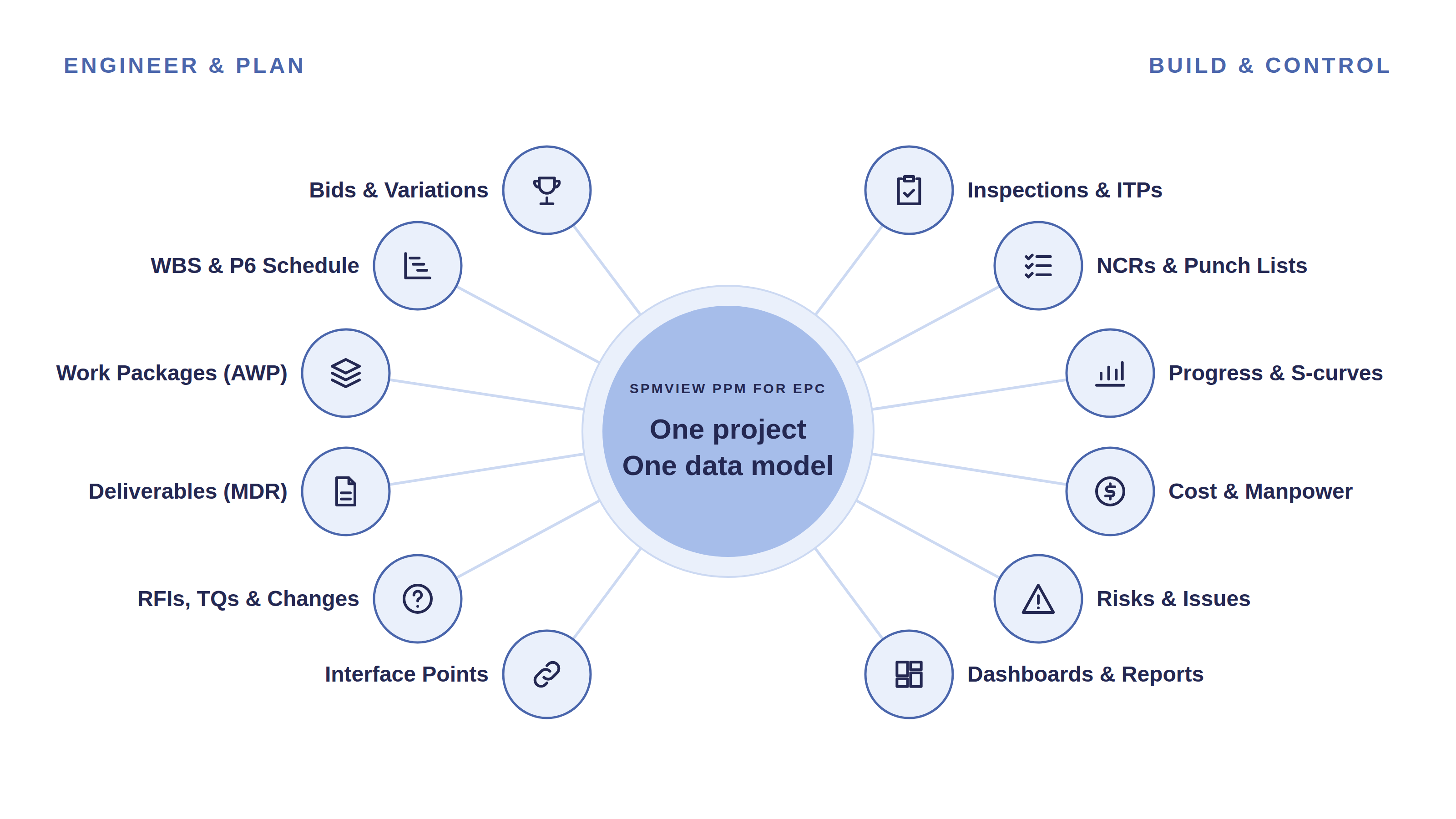
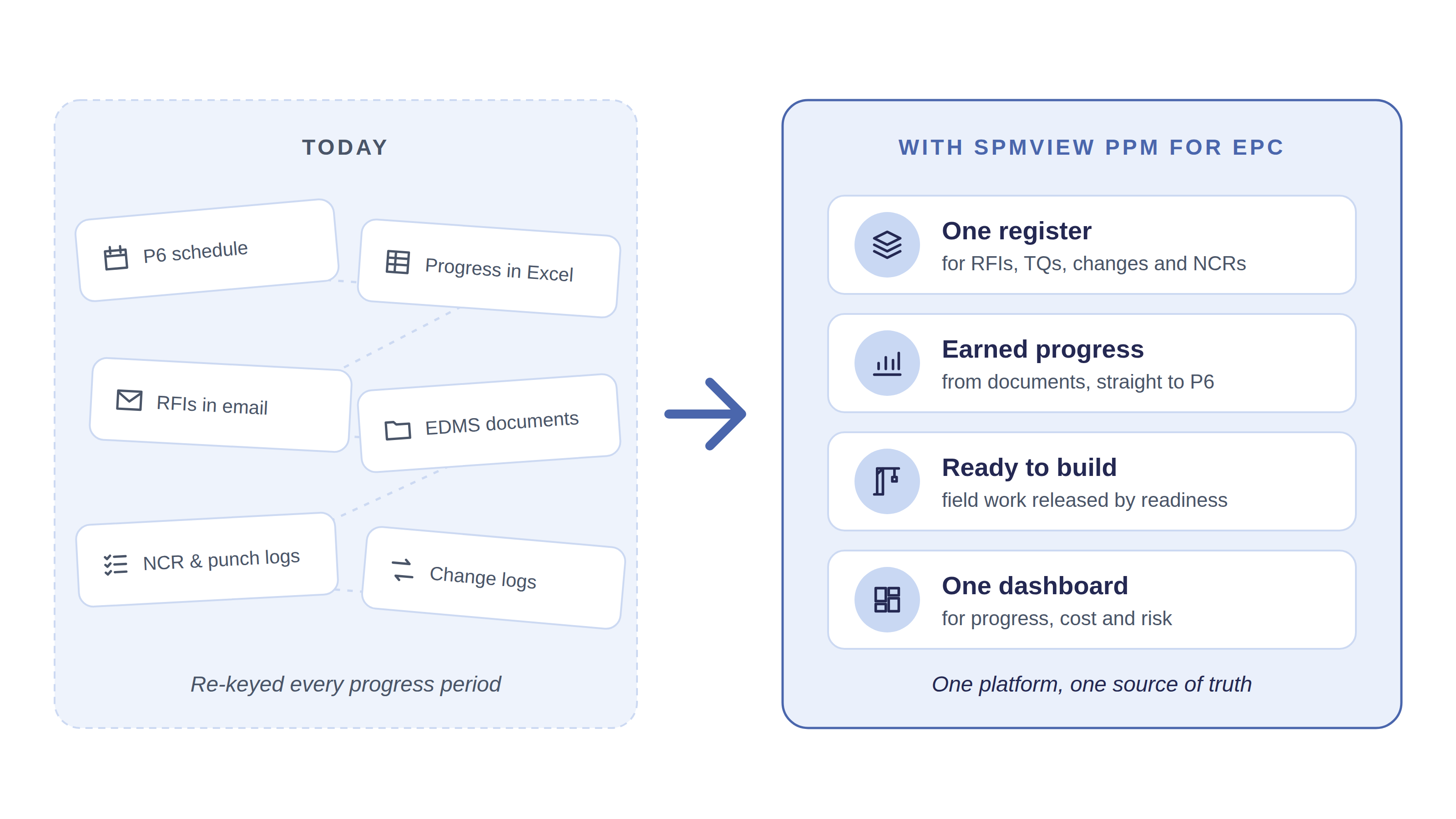
EPC projects run on a patchwork of tools: the schedule in Primavera P6, documents in the EDMS, and progress, RFIs, NCRs and change logs in spreadsheets and email. Project controls teams spend every period re-keying percent complete, rebuilding S-curves and chasing updates, and field work starts before the drawings and materials it depends on are ready. SPMVIEW PPM for EPC brings that work into one platform, linked to each other and to the schedule, so progress is earned from the work itself and lands in P6 without anyone re-keying it.
One register
Every RFI, TQ, change, NCR and work package in one place, linked to the documents and activities around it.
Earned progress
Rules of credit turn document issues into progress, approved per period and written back to P6.
Ready to build
Construction packages are released only when the engineering and materials they need are complete.
One thread through the project lifecycle.
| Stage | What the platform covers |
|---|---|
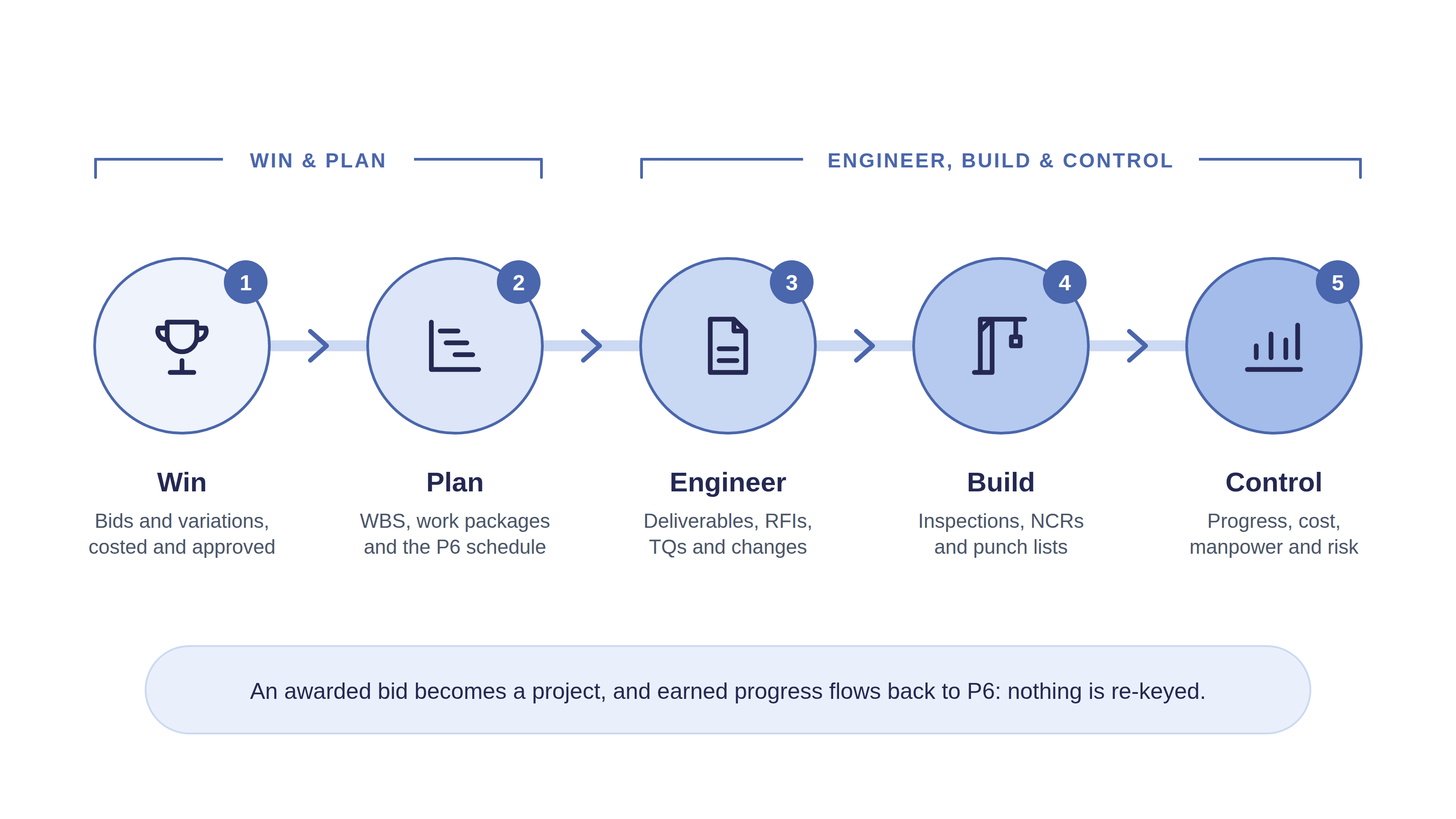
| Win | Bids and variation requests with cost estimates from the rate card, review workflows and approvals; an awarded bid becomes a project. |
| Plan | WBS and Advanced Work Packaging (EWP, PWP, CWP, IWP), an area and system breakdown, and the P6 schedule with baselines. |
| Engineer | Deliverables register synced from the EDMS; RFIs, technical queries, design change notices and interface points. |
| Build | Check sheets, ITPs, inspection records, NCRs and punch lists, placed by area and work package. |
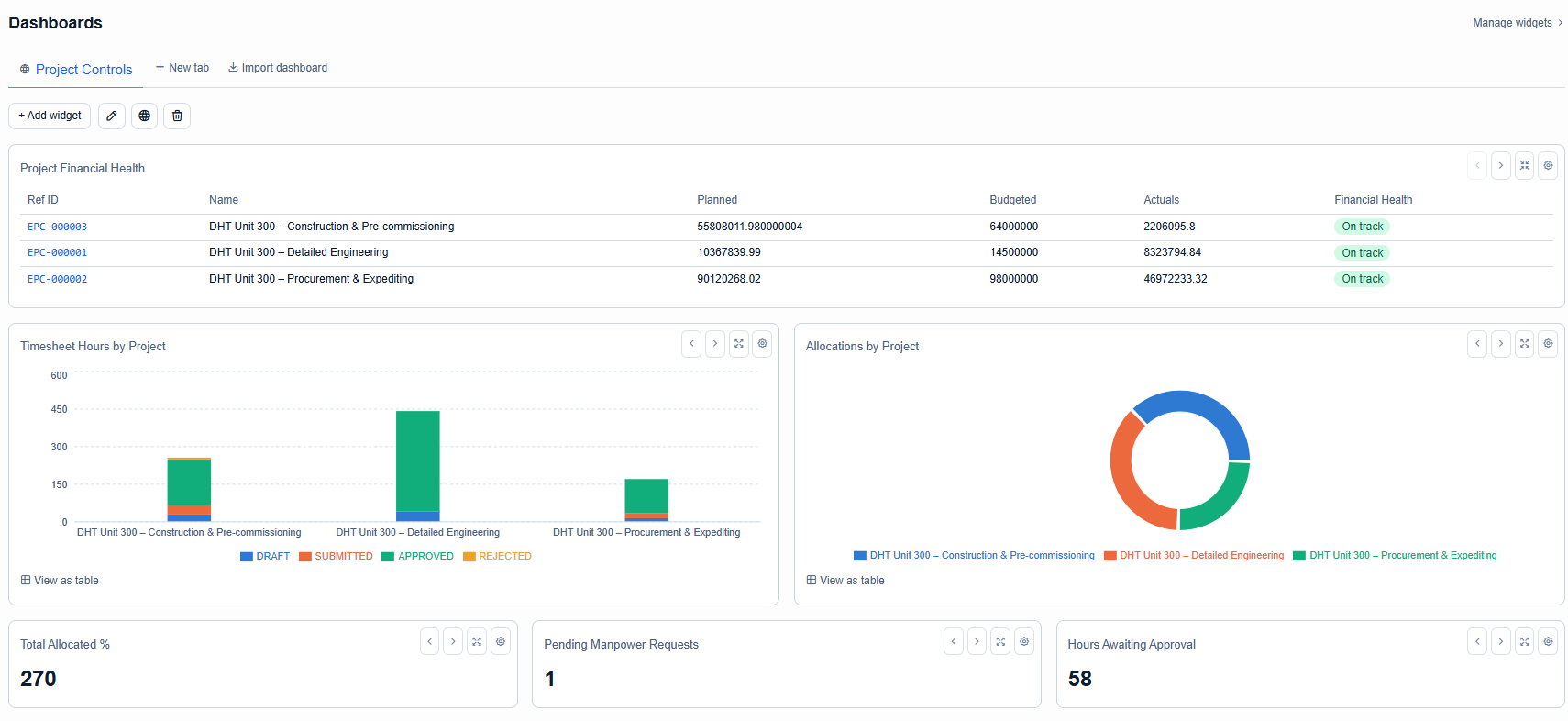
| Control | Progress periods, S-curves and SPI; budgets, cost plan and actuals; manpower allocations and timesheets; risks and issues. |
What sets it apart.
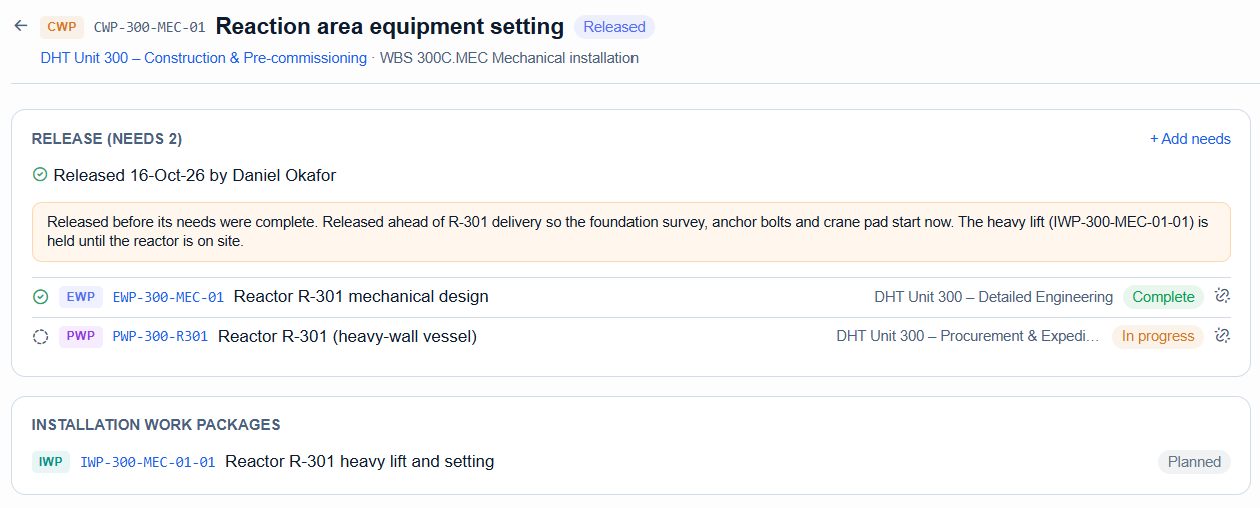
AWP release gate
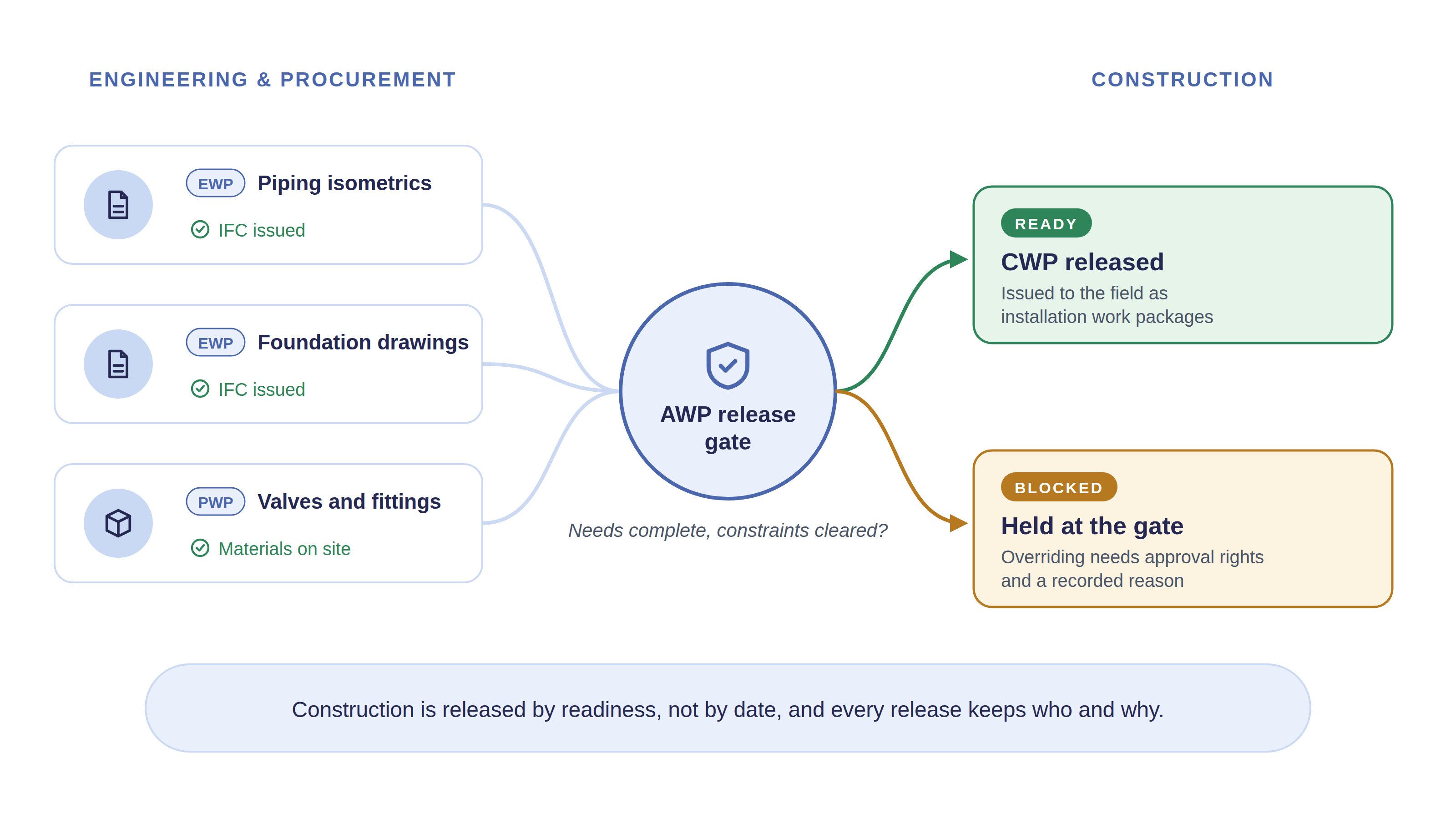
A CWP is released only when the EWPs and PWPs it needs are complete; early releases need approval and a recorded reason.
P6 schedules
XER import with a dry run, Gantt, baselines, variance and schedule health checks.
EDMS-synced MDR
Revisions and return codes mirrored from your EDMS, SharePoint today; a native revision log otherwise.
Queries & changes
RFIs, TQs, design change notices and interface points, with who has the ball and what is overdue.
Field quality
ITPs and inspection records, NCRs and punch items closed with QA/QC approval.
Cost & manpower
Program budgets, monthly plan against actual, manpower requests, allocations and timesheets.
From the documents to the S-curve.
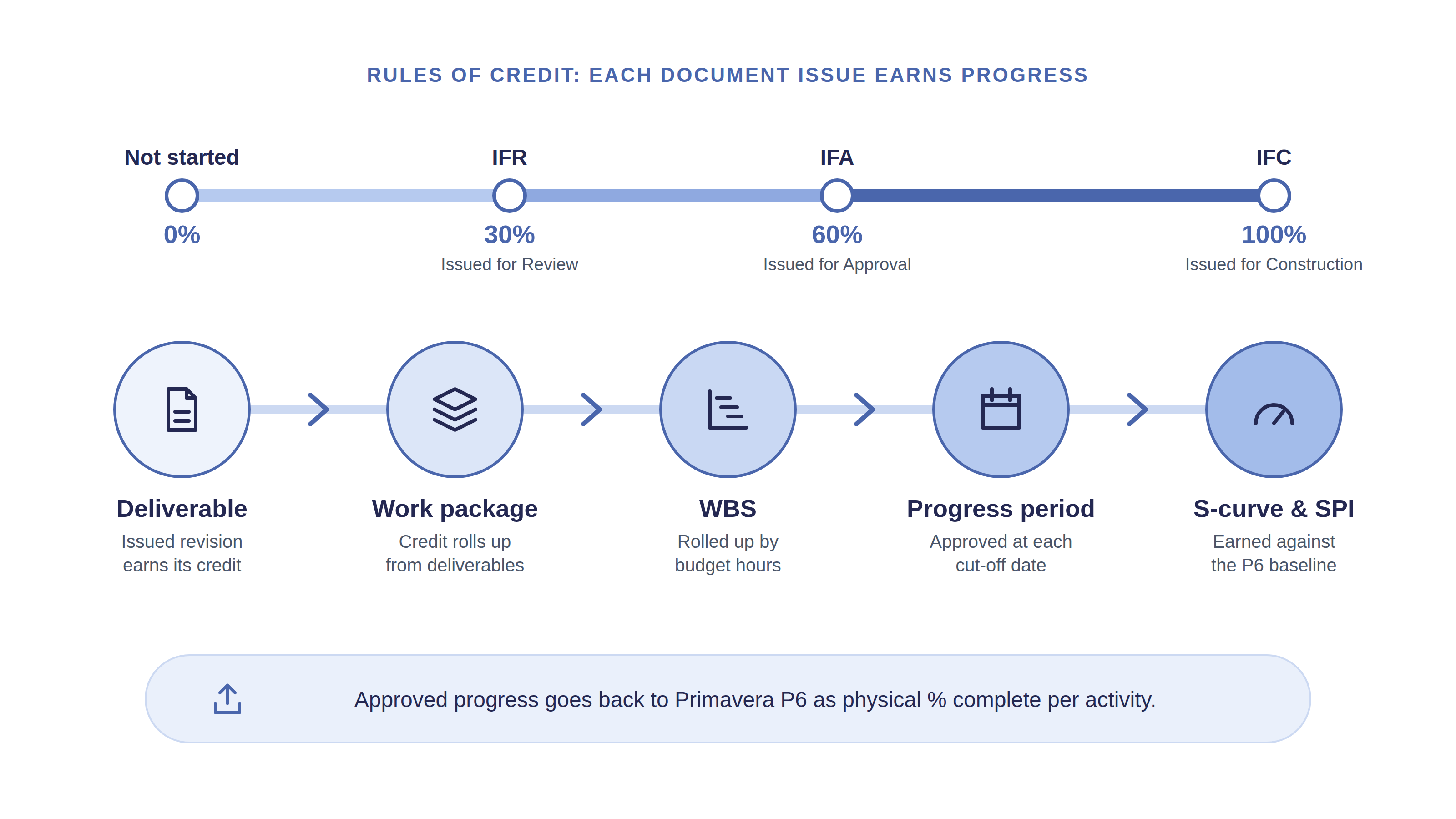
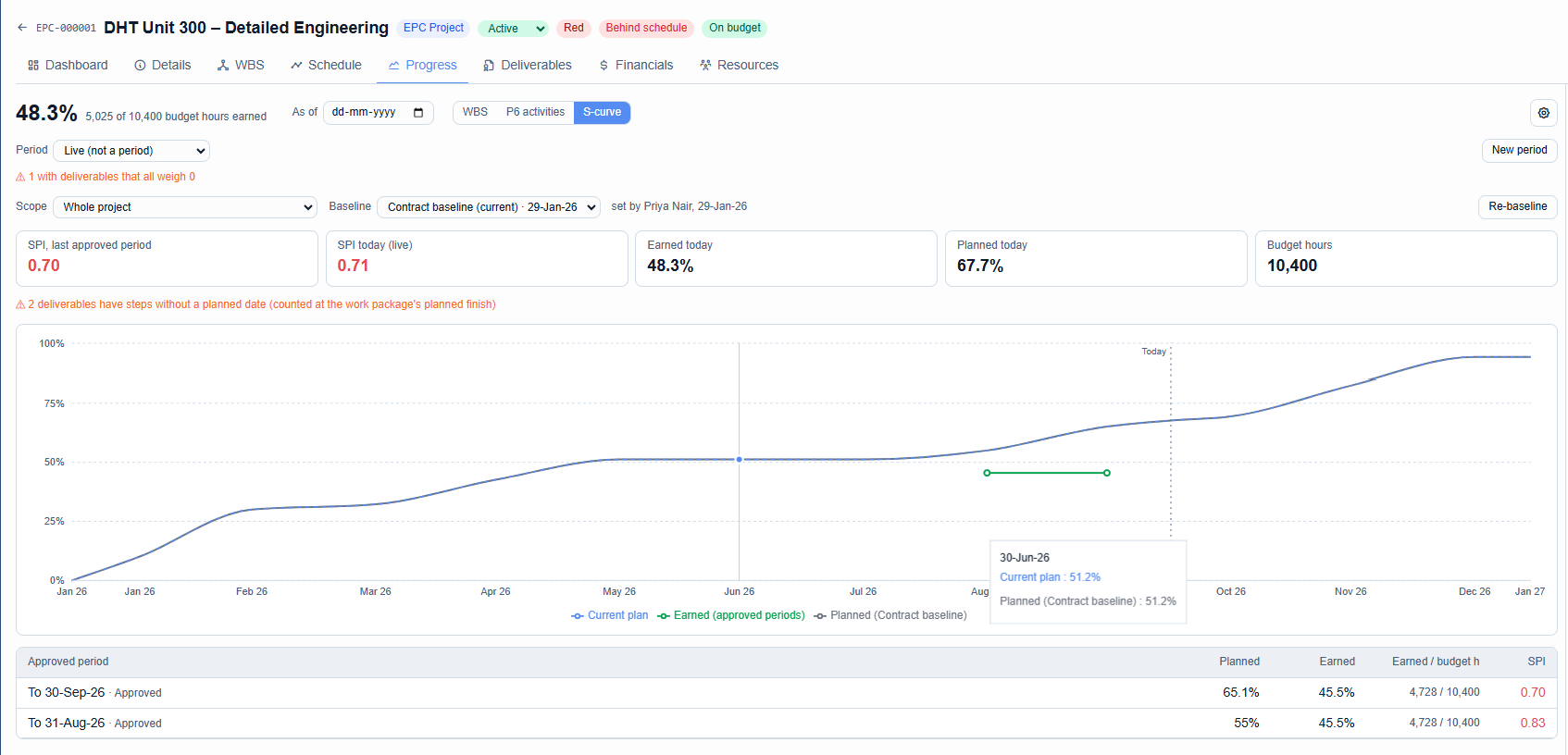
Progress starts where the work is done. Each deliverable earns credit as it is issued (for example IFR 30%, IFA 60%, IFC 100%); credit rolls up through work packages to the WBS, is approved per progress period, and drives the S-curve, SPI and a P6 update file with physical percent complete per activity.
Construction is released by readiness, not by date. Each construction work package lists the engineering and procurement packages it needs, shows whether it is ready or blocked, and keeps who released it and why.
What changes for each team.
| Team | What they get |
|---|---|
| Project directors | One view of progress, cost, risk and open decisions across every project in the program. |
| Project controls | Progress earned from deliverables and work packages, approved per period and sent to P6, with no re-keying. |
| Engineering managers | RFIs, TQs, design changes and interfaces in one register, with overdue items and approvals in My Tasks. |
| Construction & QA/QC | Field work released only when ready; inspections, NCRs and punch items tied to the work package. |
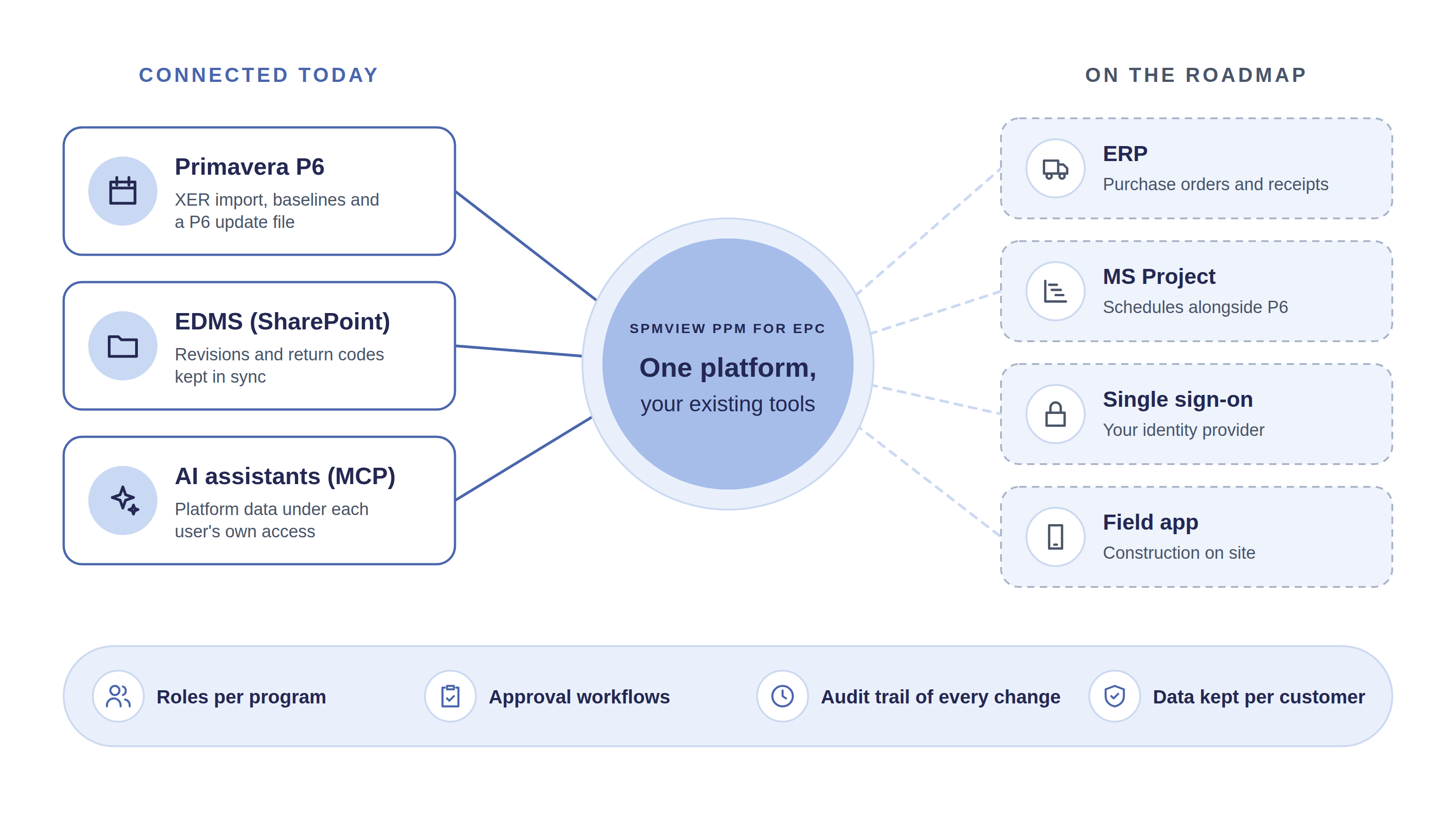
Connected to the tools you already use.
Primavera P6
XER import with dry run, baselines from XER, and a P6 update file with earned progress.
EDMS
SharePoint connector syncs revisions and return codes.
AI
An MCP server lets AI assistants work with platform data under each user's own access, plus an in-app assistant.
Governance
Roles per program, workflows with approval rules, an audit trail of every change, and each customer's data in its own database schema.
See it on your project.
Book a guided demo on our EPC demo programs, or a pilot with your own anonymised P6 export and deliverables register.